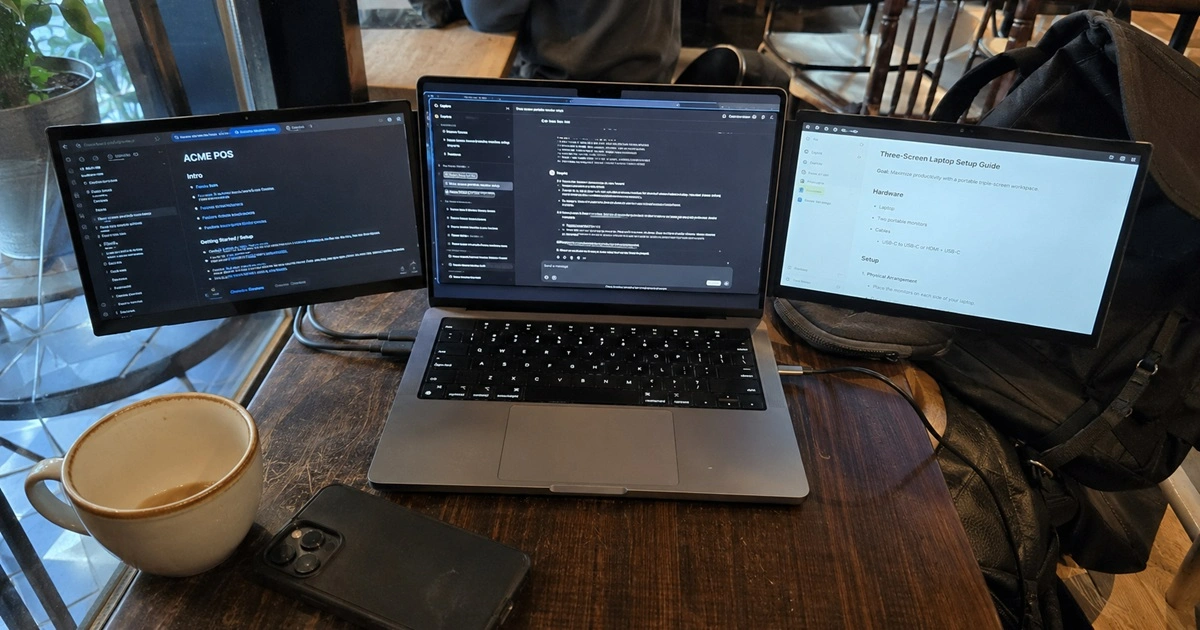
Portable triple-screen setups look great in product photos. Clean desk. Three glowing panels. Coffee in the corner. Reality is usually less cinematic. More cables, more alignment issues, and a surprising amount of time spent adjusting things that were supposed to be “plug and play.”
Contents
- What a Triple-Screen Laptop Extension Really Is
- The Technical Bottlenecks
- The Friction Scorecard (Real Use)
- Setup Reality
- Hardware Tax: Battery & Performance
- Where It Works vs Fails
- Before You Buy Checklist
- Final Verdict
After working with these setups across coffee shops, shared workspaces, and cramped hotel desks, one pattern shows up fast: the issue isn’t whether you can add three screens. It’s whether your laptop, your workspace, and your patience are actually built for it.
More screens don’t automatically increase output. They redistribute attention. And sometimes they just spread your distractions wider.
Portable triple-screen laptop extensions add two attachable displays to a laptop for a three-screen workspace. They work best in stable setups like desks or hotel rooms but often struggle in tight or mobile environments due to space limits, battery drain, and hardware compatibility constraints.

The Technical Bottlenecks: Displays vs Drivers
This is where most marketing content stays vague, but the limitations are very real.
Portable triple-screen systems usually rely on one of two approaches:
- USB-C DisplayPort Alt Mode (native output)
- DisplayLink drivers (compressed video over USB with software decoding)
Both come with trade-offs.
USB-C native output is cleaner and lower latency, but it depends heavily on your laptop’s GPU and port configuration. Some ultrabooks only support one or two external displays through native lanes, even if the hardware looks capable on paper.
DisplayLink solves compatibility problems, but it introduces CPU overhead. That matters when you’re already running Chrome tabs, video calls, and design tools at the same time.
Then there’s the quiet limitation people miss:
Some Apple Silicon base chips (like entry-level M1/M2/M3 variants) do not natively support multiple external displays without DisplayLink-style workarounds. That alone can decide whether the entire setup works or becomes an expensive mistake.
Add in:
- USB-C ports that don’t support full video output
- Bandwidth drops when power delivery and display run together
- Driver instability after OS updates
And suddenly “plug and play” becomes “plug and troubleshoot.”
The Friction Scorecard (Real-World Use)
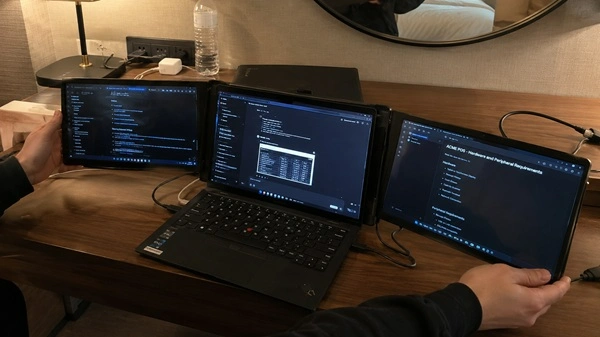
Here’s what actually happens when you stop looking at product demos and start using it in real environments:
| Environment | Portability Score | Setup Friction | Reality Check |
|---|---|---|---|
| Airport / Plane Tray Table | 1/5 | Extreme | Physically awkward. No stable width for side panels. |
| Coffee Shop (shared table) | 2.5/5 | High | Needs wide seating. Often impractical during busy hours. |
| Hotel Room / Airbnb Desk | 5/5 | Low | Best-case scenario. Stable, predictable setup. |
| Co-working Dedicated Desk | 4.5/5 | Medium | Works well but still consumes full desk space. |
The pattern is obvious once you map it out. The more “mobile” the environment, the worse the experience becomes.

Setup Reality: What Actually Happens Day One
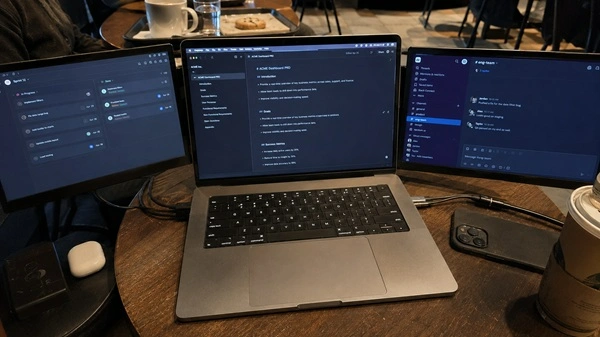
The first setup rarely matches expectations.
On paper, it’s simple. Attach, connect, extend.
In practice, small issues stack up quickly:
- Left and right panels rarely align perfectly on first try
- Slight brightness mismatch becomes noticeable after an hour
- Hinges can sag depending on laptop weight
- USB-C ports behave differently depending on power load
A typical first session looks less like productivity and more like calibration.
For example, on a mid-range Windows ultrabook, it’s not unusual to spend 5–10 minutes adjusting screen tension so the side panels don’t tilt downward under their own weight. It’s minor, but it repeats every time you move locations.
That’s the friction no spec sheet mentions.
In practical use, triple-screen setups rarely behave like demo videos. Alignment issues, brightness differences, and USB-C bandwidth limits show up quickly. On mid-range laptops, battery life can drop by more than half during sustained multi-display use, especially during video calls or multitasking-heavy workloads.
The Hardware Tax: Battery, Heat, and Performance Loss
This is the part most articles avoid, but it’s where the real cost shows up.
Running three external displays from a laptop introduces a measurable performance load:
- Battery life drops significantly under sustained multi-display use
- Integrated GPUs handle display scaling, reducing available headroom for apps
- Fans ramp up earlier than usual during video calls or rendering tasks
In practical use on a mid-range Dell XPS-class ultrabook, sustained triple-display work reduced battery life from roughly 6–7 hours down to about 2–3 hours depending on workload intensity.
That changes how “portable” the setup really is. It shifts it from “work anywhere for hours” to “work anywhere with a charger nearby.”
Heat also becomes a secondary constraint. Not critical in short sessions, but noticeable during long multitasking blocks involving video calls, spreadsheets, or creative software.
Where It Actually Works (and Where It Quietly Fails)
The usefulness of a triple-screen setup is not evenly distributed across users. It depends heavily on task structure.
It works best when:
- You are managing multiple persistent windows (code, data, dashboards)
- You spend long uninterrupted blocks in a fixed workspace
- Your workflow benefits from strict visual separation
It starts to break down when:
- Tasks are short, reactive, or fragmented
- You frequently move between locations
- Your laptop is already under moderate performance load
The mistake most buyers make is assuming more screens automatically improve focus. In reality, it can increase cognitive load if your tasks don’t require parallel viewing.
Before You Buy: Reality Check Checklist
This is where most decisions should actually happen. If most answers are “no,” the setup will likely feel more impressive than useful.
Click each question. You’ll immediately see what it means for your setup.
Do you regularly manage 2–3 active workflows at the same time?
Does your laptop support multiple external displays (USB-C / DisplayLink)?
Do you usually work in stable environments (desk, hotel, co-working space)?
Do you already use dual monitors and feel limited by them?
Are you okay working near a power source most of the time?
If 3 or more answers feel like “no” or “not really,” the setup will likely feel more impressive than practical in daily use.
Final Verdict
Portable triple-screen laptop extensions are not gimmicks. They work. But they only work well inside specific conditions that most marketing ignores.
Once you factor in hardware limits, battery drain, and physical workspace constraints, the idea of “mobile productivity” becomes more conditional than it appears.
The real divide isn’t between single-screen and triple-screen users. It’s between structured, stationary workflows and everything else. If your work fits the first category, the upgrade can feel substantial. If not, it quickly turns into extra complexity you didn’t actually need.